 |
No. 16 / 30.09.26 |
|
 |
 |
| A note from Team Futurelab / 4-minute read |
 |
 Last night, OpenAI held DevDay, its yearly event for the people who build with its tools. It was the biggest one yet, with more than 20 announcements across ChatGPT, its coding assistant Codex and its AI models. That's a lot to take in over your morning chai. So we read through all of it and picked the three launches most likely to show up in your working week. First, the big picture. OpenAI wants ChatGPT to become the place where you, your team and your AI helpers get work done together. Almost every launch last night points in that direction. |
 |
1Dots, an AI helper that keeps working for you |
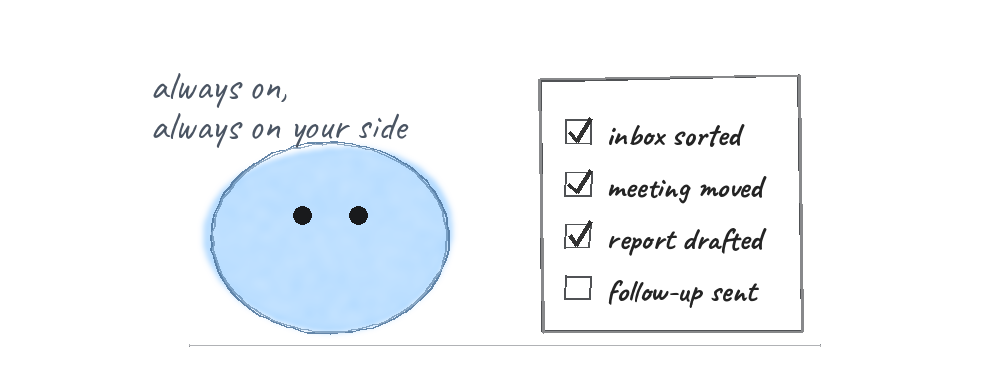 |
Dots are AI helpers that stay switched on in the background. Your Dot learns what matters to you, keeps an eye on ongoing work and takes tasks off your plate, so you get more of your time and attention back. Who gets it: Pro and Business Premium plans in eligible markets. Enterprise and education teams can try an early version once their admin turns it on. |
2Space, a shared home for your team and ChatGPT |
 |
Space is a new place inside ChatGPT where your team, ChatGPT and your Dot build on the same shared knowledge. It comes with Pages, a new kind of document you can write together with AI. Shared slides arrive in the coming weeks, and they export straight to PowerPoint or Google Slides. Teams can also hand ChatGPT regular jobs, like the weekly project update, and mention @ChatGPT inside Slack or Microsoft Teams to get help right in the conversation. Who gets it: Space and Pages on Pro, Business and Enterprise. Team tasks and @ChatGPT in Slack and Teams on Business and Enterprise. |
3GPT-6.1 Sol, near top-tier smarts at a fifth of the price |
 |
GPT-6.1 Sol is OpenAI's newest model. OpenAI says it comes close to Astra, its most capable model, at a fifth of the price. It's especially strong at coding, working on a computer and everyday professional work, so bigger jobs now fit inside the same budget. Who gets it: Plus, Pro, Business, Enterprise and Edu plans, and developers building with OpenAI. |
 |
 |
|
Ultrafast. A premium speed option that makes answers up to 8 times faster in Codex. |
|
|
Pro 500. A new top plan with 25 times the usage of ChatGPT Plus. |
|
|
Sign in with ChatGPT. Use your ChatGPT plan inside 16 partner tools, including Notion and Vercel. |
|
|
Meetings. Takes notes for you and saves summaries with action items. An early version is live in the Mac desktop app for Pro and Business users. |
|
If you do one thing this week, open ChatGPT and look at what's new in your plan. There's a good chance one of these is already waiting for you. Until next Wednesday, |
 |
P.S. Know someone who missed the keynote? Forward them this note. It's the quickest way to catch up. |
|
| |
 |
 |
| One more launch worth your time, and something to try before Friday. |
Claude Sonnet 5.5 is here |
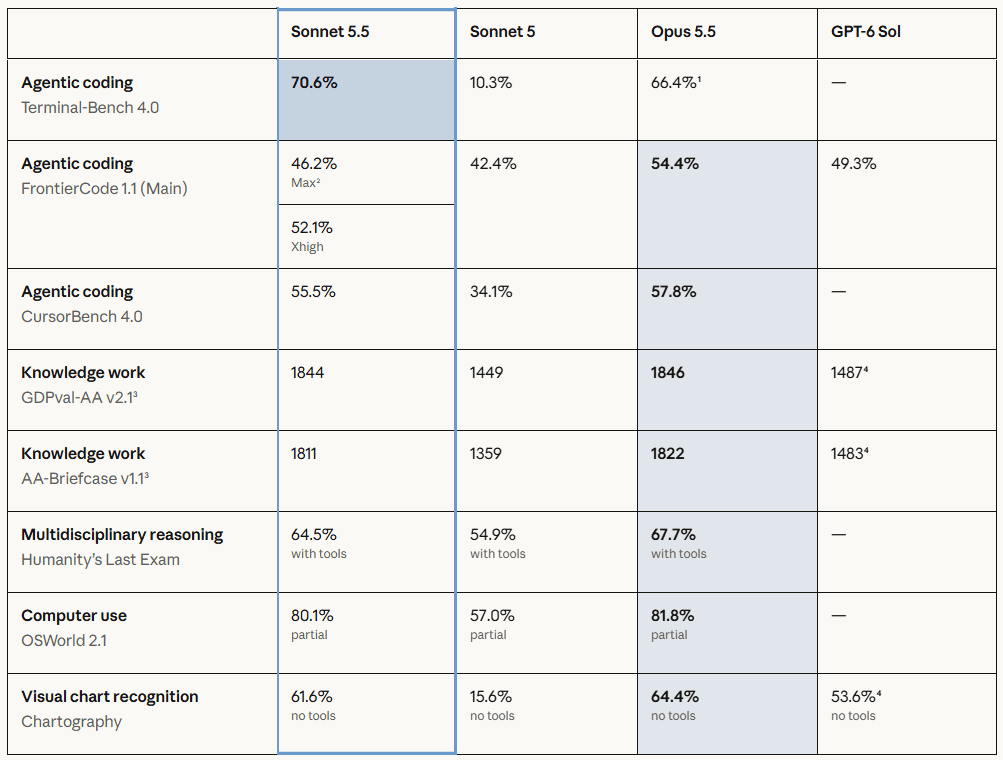 |
On Monday, Anthropic released Claude Sonnet 5.5, the newest member of its Claude 5.5 family. It's more than 30% faster than Sonnet 5 and usually costs up to 30% less per task, at the same price. It shines at everyday work and at making polished documents, slides and spreadsheets. In one of Anthropic's tests, two experts said its first draft of a 10-slide business review was ready to send as it was. It's available now in the Claude apps and on all the major cloud platforms. |
|
 |
Turn last night's news into a team briefing. It takes about 5 minutes. |
1 |
Open Claude and choose Sonnet 5.5 from the model menu. |
|
2 |
Copy the text of this note, or OpenAI's recap page, and paste it in. |
|
3 |
Add the prompt below, fill in the blanks and press send. |
|
4 |
Ask for a PowerPoint file if you'd like to edit it, then share it before your next team meeting. |
|
Copy this prompt Here are notes on OpenAI's latest launches: [paste]. My team works in [your industry] and uses [the tools you use every day]. Make a 5-slide briefing for them. Slide 1: the big picture in two lines. Slides 2 to 4: the three launches most useful to us, with what it is, who can use it and one simple way we could try it this month. Slide 5: next steps. Use plain English and keep each slide to four short lines. |
|
| Tip: the more you tell it about your team, the more useful the slides get. |
|
| |
 |
5,000+ professionals
Founders, business leaders and practitioners working through the AI shift together, one conversation at a time.
|
|
Sources: OpenAI DevDay 2026 recap and Anthropic's Claude Sonnet 5.5 announcement.
Futurelab Signal / Issue 16 / 30 September 2026 |